Tell Claude what you need. ManageLM agents execute it locally — using a local LLM, scoped to only the commands you allow. No SSH. No scripts. No risk.
Built on trusted foundations
From natural language to server execution in seconds — with every command validated and constrained.
Use the Claude app — the same AI you already know — to describe what you need. "Restart the app", "Check logs", "Update packages on all staging servers".
The ManageLM cloud portal verifies your identity via OAuth 2.0, checks permissions, identifies the target agent, and dispatches the task over a secure WebSocket channel.
The lightweight agent uses Ollama (or any compatible LLM) on your server to interpret the task, generates commands, validates each one against the skill's allowlist, and executes. Sensitive data never leaves the machine.
A clean, dark interface built for sysadmins who need clarity, speed, and full control.
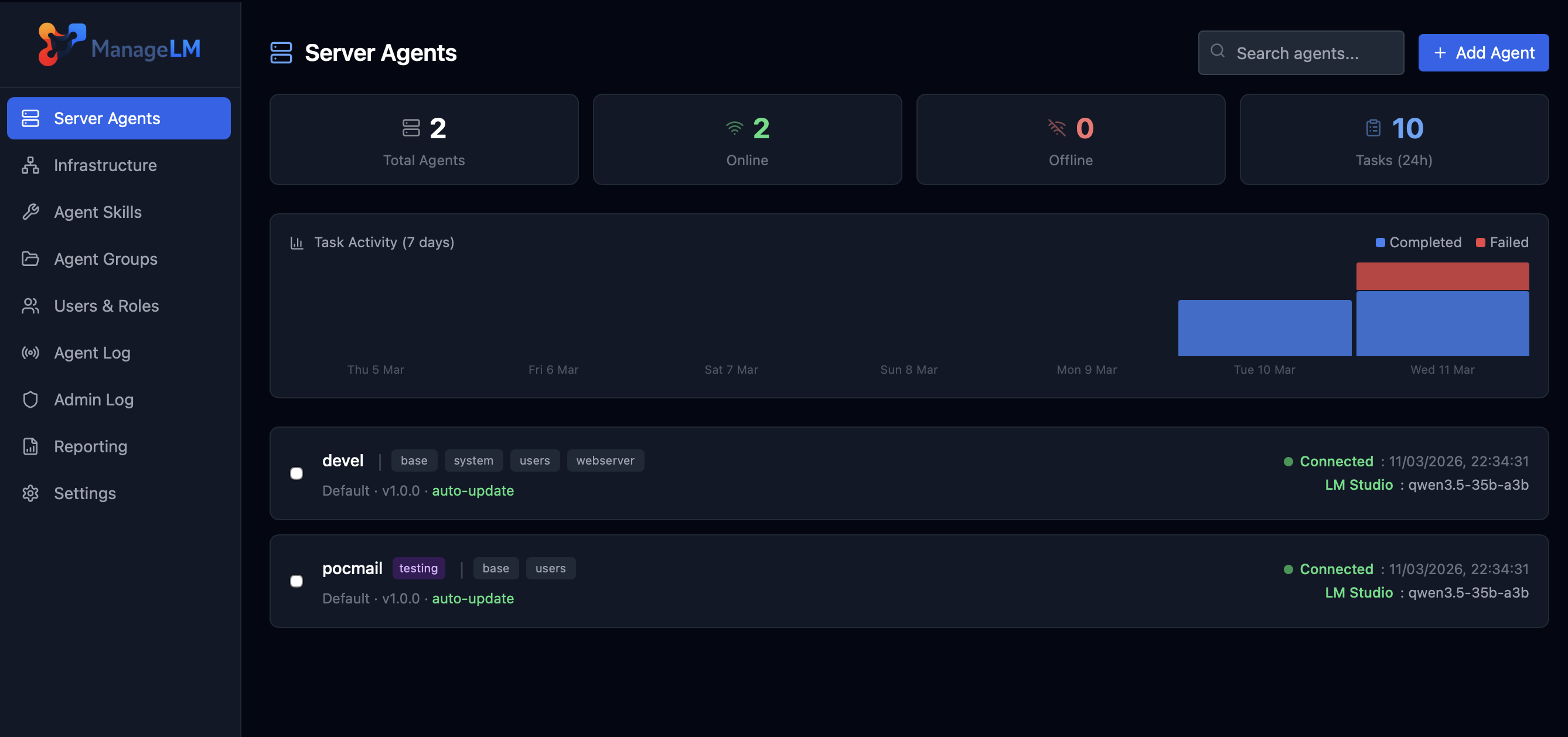
Every layer prevents unauthorized actions — even if the LLM hallucinates or faces prompt injection.
Skills define explicit permitted commands. Every AI-generated command is validated in code. Anything outside is blocked.
Task interpretation runs locally via Ollama. Passwords, configs, logs — nothing leaves the machine.
Agents with no allowed_commands can only run read-only operations. Write access requires explicit config.
Agents connect outward via WebSocket. Your servers never expose a port. No SSH, no VPN, no attack surface.
Secrets are env vars. The LLM only sees $VAR_NAME — actual values injected at execution time.
The AI generates commands, but every command is validated in code before execution. Prompt injection or hallucinations are blocked.
Max 10 turns · 120s timeout · 8KB output cap. Every operation logged in a full audit trail.
From systemd to Kubernetes, databases to VPNs — every skill is security-scoped with exact command allowlists.
The only platform combining AI automation with hard-enforced security.
| Capability | ManageLM | SSH + Scripts | Ansible / Puppet | Generic AI |
|---|---|---|---|---|
| Natural language interface | ✓ | ✗ | ✗ | ✓ |
| Command allowlisting (hard-enforced) | ✓ In code | ✗ | ~ Limited | ✗ |
| Local LLM (data on-server) | ✓ | N/A | N/A | ✗ Cloud only |
| Zero inbound ports | ✓ | ✗ Port 22 | ✗ SSH | ~ Varies |
| No learning curve | ✓ Just talk | ✗ Bash | ✗ YAML | ✓ |
| Skill-scoped security | ✓ | ✗ Full access | ~ Roles | ✗ |
| Full audit trail | ✓ | ~ Manual | ✓ | ✗ |
| Multi-tenant RBAC | ✓ | ✗ | ~ Limited | ✗ |
Owner, admin, member roles with granular permissions. Invite teammates, scope access per server or group.
Organize agents into groups. Run operations across entire groups with a single request.
Cron-based schedules for backups, log rotation, health checks — all automated.
Real-time notifications on events. Full REST API for integration into existing workflows.
Every action logged with timestamps, IPs, and full context. Complete accountability.
WebAuthn/FIDO2 passwordless login. Multi-factor auth and IP whitelisting for MCP.
Free to start. Deploy your first agent in under 5 minutes. No credit card required.
Questions, demos, or enterprise needs? We'd love to hear from you.
We typically respond within 24 hours on business days.
Please send the email from your mail application to complete the message.